How to Choose a Synth or MIDI Controller
Synth or MIDI controller? One makes sound, one doesn't. Our Footscray keys team explains synthesis types, key sizes and DAW workflow so you buy right the first time.
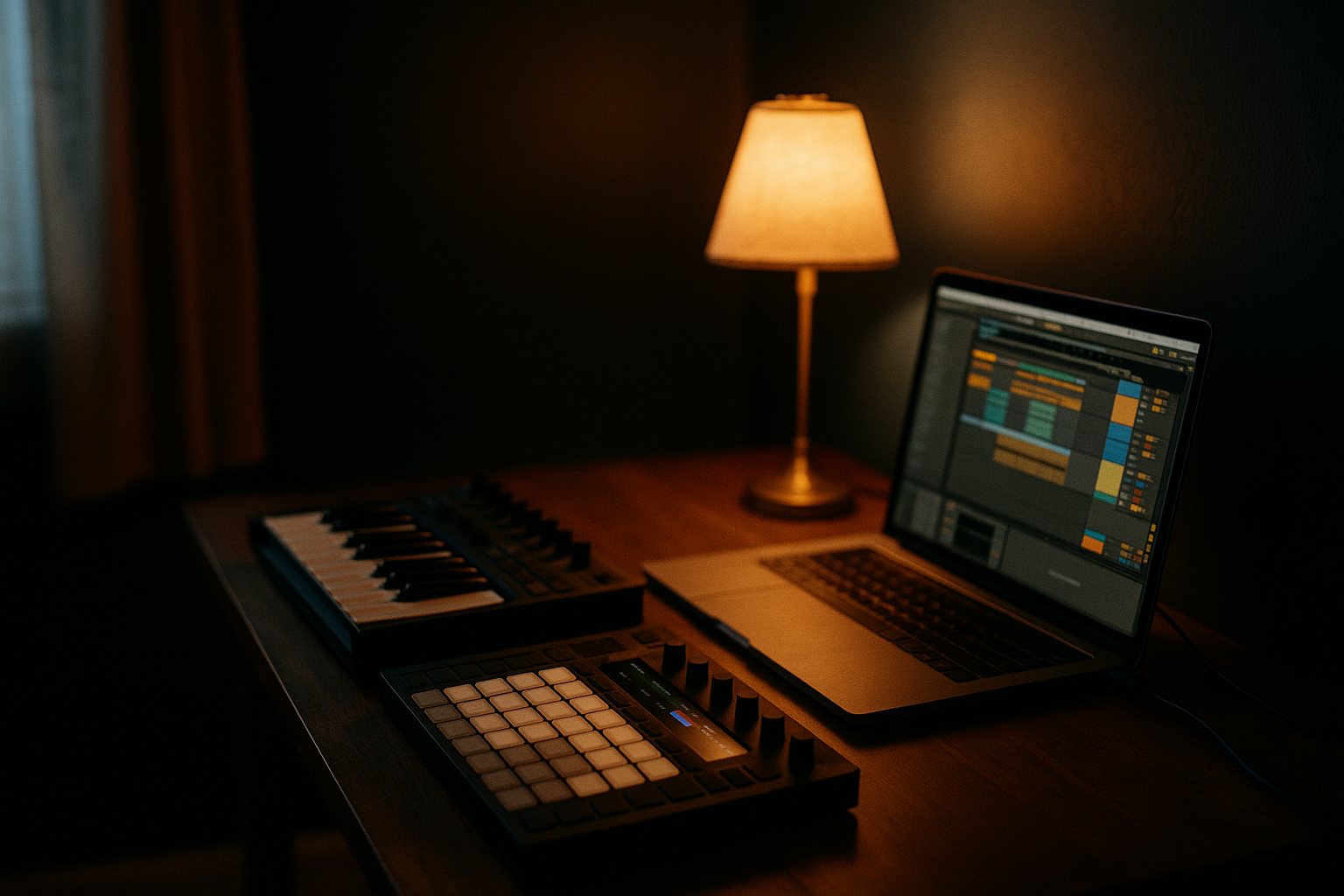
Walk into any music store and the wall of keyboards, synths and controllers can look identical — black boxes covered in keys and knobs. The catch is they do very different jobs, and the single most common mistake we see is someone buying the wrong one: a controller that makes no sound on its own, or an expensive synth when all they needed was a controller.
This guide is for producers, electronic musicians and keyboard players going deeper — anyone setting up a desk in a bedroom, home studio or rehearsal room. We sell and play this gear every week at our Footscray store, so this is the same advice you'd get standing in front of the racks.
Synth vs MIDI Controller: One Makes Sound, One Doesn't
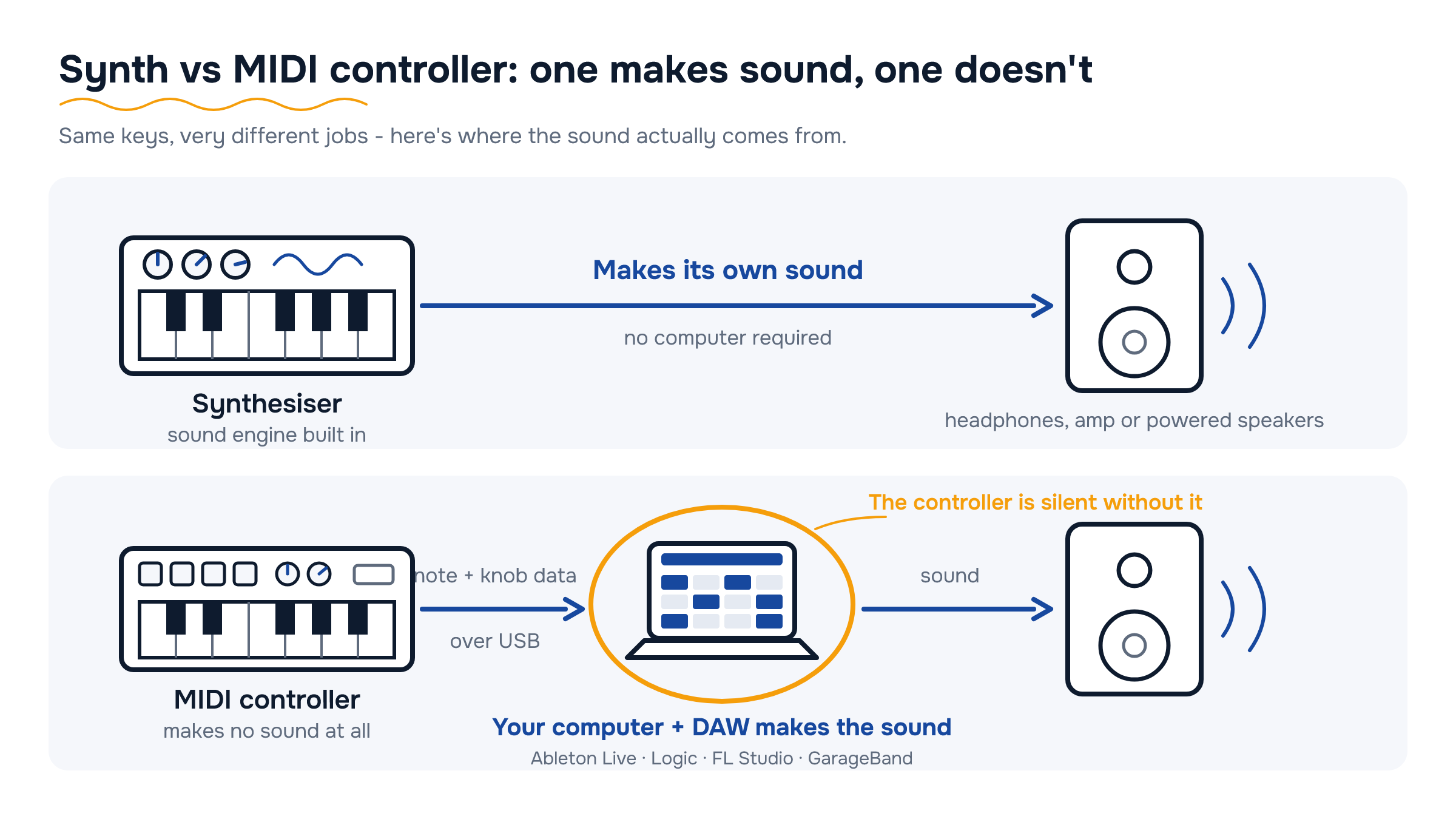
This is the number-one confusion, so let's settle it first. A synthesiser has its own sound engine built in. Plug it into headphones, an amp or powered speakers and you're making noise immediately — no computer required.
A MIDI controller makes no sound at all. It sends note and knob data over USB to a computer or tablet running a DAW — Ableton Live, Logic, FL Studio, GarageBand — and the software instruments do the actual sound-making. That's not a downside; it's the point. One controller can play every instrument in your DAW, and a good one costs a fraction of a hardware synth.
A quick test when you're reading a spec sheet:
- Audio outputs, voices, oscillators or filters listed? It's a synth.
- All keys, pads and knobs, USB bus-powered, no audio output? It's a MIDI controller.
The decision flows from how you work. If you produce mostly inside a DAW, start with a controller. If you want an instrument that works without a computer — for jamming, gigging or hands-on sound design — you want a synth.
Analogue, Digital and Wavetable in Plain English
Analogue synths make sound with real electrical circuits — voltage running through physical oscillators and filters. The result is warm, slightly imperfect and very alive, which is exactly why people love them for basses and leads. The trade-offs: fewer notes at once (many are monophonic — one note at a time), fewer presets, and you pay more per voice. Korg's monologue and minilogue families are the classic affordable way in.
Digital synths use a chip to generate or model sounds. You get far more variety, more polyphony, built-in effects and hundreds of presets for the money. If you want one box that covers pianos, pads, basses and strange noises, digital is the practical pick.
Wavetable is a flavour of digital that sweeps through stored waveforms, so sounds constantly move and morph — the backbone of modern EDM, bass music and ambient textures. You'll meet it in software first (most stock DAW synths include one) and in hardware like Korg's wavestate.
Our honest advice: don't agonise over the engine. For a first hardware synth, a small analogue with a knob for every function teaches you synthesis faster than anything else. If you want maximum sounds per dollar, go digital. And remember all three types exist as software too — a controller plus plugins gets you the lot for less.
Keys, Pads or Knobs: Match It to Your DAW Workflow
Controllers aren't one-size-fits-all. The right pick depends on how you actually work in your DAW.
- Keys first — if you write chords, melodies and basslines, a keyboard controller is the obvious choice. Velocity-sensitive keys are standard now; aftertouch (pressing into a held key for extra expression) is a worthwhile step up.
- Pads first — if you're a finger drummer or beatmaker, sixteen fat velocity-sensitive pads beat keys for programming drums every time. Pad-only units are compact and brilliant for launching clips in Ableton Live.
- Knobs and faders first — if you spend your sessions tweaking filter sweeps and mixing, assignable knobs and faders save endless mouse work. Eight knobs is the practical minimum.
The detail people miss is DAW integration. Most controllers — Alesis V series units, for example — ship with mappings for the big DAWs, so transport buttons and knobs work out of the box. Check your DAW is on the supported list before you buy, because hand-mapping every control gets old very fast.
For most producers the happy answer is a keyboard controller that also carries eight pads and eight knobs — one device covering all three jobs without crowding the desk.
Mini Keys vs Full-Size Keys (and How Many)
Mini keys keep controllers and compact synths small enough for a desk corner or a backpack. They're fine for one-hand melodies, basslines and sketching ideas on the couch. If you've had piano lessons, though, your fingers will fight them as your only instrument — budget for full-size keys.
On key count:
- 25 keys — two octaves. Desk-friendly and travel-friendly; perfect for bassline-and-melody producers.
- 49 keys — the sweet spot for most producers: chords in one hand, melody in the other, still desk-sized.
- 61 keys — proper two-handed playing, and the standard size for gigging keyboard players.
- 88 weighted keys — piano-style hammer action. If piano feel matters more to you than synthesis, read our digital pianos and keyboards guide instead — that's a different purchase.
Also check the action. Synth action is light, springy and fast — ideal for synth lines and organ parts. Semi-weighted adds resistance for more expressive playing and is worth the extra spend on 49 and 61-key boards. You'll find both feels across our keyboards and controller ranges.
Do You Need an Audio Interface Too?
Honest answer: not always — it depends which box you're buying.
If you're buying a MIDI controller: no, not to get started. MIDI travels over USB straight into your computer and your DAW makes the sound. You can write whole tracks with a controller, a laptop and a pair of headphones.
You'll want an interface once you need to do any of these: record vocals or guitar (interfaces carry the mic and instrument inputs your laptop doesn't), run proper studio monitors with a clean signal, or cut the delay between pressing a key and hearing the note once your projects get plugin-heavy.
If you're buying a hardware synth: plan on an interface from day one if you ever want to record it. A synth's line outputs need line inputs to land in your DAW, and a basic two-input interface handles a stereo synth nicely. More synths and drum machines later means more inputs — buy one channel ahead of where you are now.
Browse audio interfaces to see what's around, and for the full signal chain — interface, monitors, mics and room treatment — our home recording guide walks through it step by step.
What Else You'll Need (and Where to Try It All)
A few add-ons turn a box on a desk into a setup you'll actually use:
- Monitoring — closed-back headphones are the cheap, honest starting point; add a pair of studio monitors when you start mixing seriously.
- A stand and sustain pedal — most controllers and synths take a standard 6.35mm sustain pedal, and almost none include one in the box.
- An amp for the jam room — a keyboard amp gives a hardware synth full-range volume for rehearsals without lugging a PA.
- Cables — 6.35mm jack leads for synth outputs, plus a spare USB cable that actually reaches your desk.
And the part no spec sheet replaces: playing the thing. Key feel, pad response and how quickly a synth makes sense under your hands are impossible to judge from photos. Drop into the Footscray showroom at 284-288 Ballarat Rd and try synths and controllers side by side, or call 03 4151 5751 and talk it through with someone who actually plays this gear — we'll help you match the right box to your music before you spend a dollar.
What your budget gets you
Under $300
Producers starting out who work entirely inside a DAW.
A 25 or 49-key compact controller with pads and knobs, USB bus-powered, usually with lite software bundled. Check for velocity-sensitive keys and ready-made mapping for your DAW.
Shop Controllers under $300 →$300-$800
Your first hardware synth, or a serious step-up controller.
Compact analogue monosynths and capable digital synths start here, alongside full-size 49 and 61-key controllers with semi-weighted keys and aftertouch. Decide whether sound-on-its-own or DAW control matters more.
Shop Synths $300–$800 →$800-$1,500
Players ready for a proper polysynth as a centrepiece instrument.
Four-or-more-voice analogue polys and deep digital and wavetable synths with genuine hands-on control, built-in effects and gig-worthy build. Voice count and keybed quality are the specs to compare.
Shop Synths $800–$1,500 →Around $1,500+
Gigging keyboardists and producers buying a stage centrepiece.
Flagship polysynths, stage keyboards and workstation-style instruments — premium keybeds, deep sound engines and road-ready build. At this level, play before you pay.
Shop Arrangers & Stage Pianos from $1,500 →Compare at a glance
| Type | Best for | Watch out for | Typical spend |
|---|---|---|---|
| MIDI keyboard controller | Playing software instruments and writing in a DAW | Makes no sound on its own — needs a computer and DAW | $100-$700 |
| Pad controller | Finger drumming, beatmaking, launching clips | Awkward for chords and melodies as your only controller | $150-$500 |
| Analogue synth | Warm basses and leads, hands-on sound design | Often monophonic or low voice count; fewer presets | $500-$1,500 |
| Digital synth | Maximum sounds, presets and polyphony per dollar | Smaller units can mean menu-diving | $400-$1,500 |
| Wavetable synth | Modern, evolving EDM and ambient textures | Steeper learning curve than analogue-style basics | $600-$1,500+ |
Common mistakes to avoid
- Expecting a MIDI controller to make sound It won't — it needs a computer running a DAW, or an external sound module. If you want sound straight out of the box, you want a synth.
- Buying mini keys when you play piano Trained fingers fight mini keybeds. They're fine for sketching ideas, but as your only instrument go full-size — 49 keys minimum.
- Ignoring DAW integration A controller with no mapping for your DAW means assigning every knob and button by hand. Check the supported-DAW list before you buy, not after.
- Buying a monosynth to play chords Monophonic means one note at a time — brilliant for bass and leads, useless for pads and chord stabs. Match the voice count to the music you make.
- Forgetting the recording chain A hardware synth needs an audio interface with line inputs before it can land in your DAW. Budget for the interface on day one, not as an afterthought.
Your questions, answered
Will a MIDI controller work with my DAW?
Yes — virtually all modern controllers are class-compliant USB MIDI, which every major DAW (Ableton Live, Logic, FL Studio, GarageBand, Cubase) recognises without extra drivers. The difference is depth of integration: some models include ready-made mappings so knobs, faders and transport buttons work instantly. Check the supported-DAW list for the model you're eyeing.
Can a synth double as a MIDI controller?
Most can. Nearly all modern synths send MIDI over USB or the classic 5-pin DIN socket, so one instrument can play standalone and drive your software instruments. It's a sensible way to buy once instead of twice — just make sure the keybed suits both jobs.
Do I need an audio interface to use a MIDI controller?
Not to get started — MIDI goes over USB and your computer makes the sound. You'll want an interface once you start recording vocals or guitar, running studio monitors, or chasing lower latency on plugin-heavy projects. To record a hardware synth into your DAW, an interface with line inputs is essential.
What's the difference between a synth, a keyboard and a digital piano?
A synth is built for designing and shaping sounds from scratch. A home keyboard plays preset sounds with accompaniment features and suits learners. A digital piano puts piano feel and tone first, with 88 weighted keys. Plenty of players own a controller for production and a digital piano for practice — they solve different problems.
Is analogue really better than digital?
Different, not better. Analogue gives you a warm, lively character and knob-per-function control, but fewer voices per dollar. Digital gives you variety, polyphony, effects and presets. Plenty of records mix both, and most listeners genuinely can't pick which is which.
Can I try synths and MIDI controllers in store?
Absolutely — the Footscray showroom at 284-288 Ballarat Rd has gear plugged in and ready to play, and the people on the floor use this stuff themselves. Call 03 4151 5751 first if you want to check a particular category is on display before making the trip.
What does delivery look like on a synth or controller?
Shipping is free Australia-wide on orders over $150, tracked and insured, with same-day dispatch on weekday orders placed before 2pm AEST. Melbourne locals can use Click & Collect from the Footscray showroom. Everything is genuine Australian stock with full manufacturer warranty, and Afterpay and Zip are available if you'd rather pay in instalments.
Shop the categories in this guide
Keep reading: Home Recording: A Starter's Guide · How to Choose a Digital Piano or Keyboard · Headphones & Studio Monitors
Try our in-store range in Footscray
Come and play what we’ve got on the floor side by side — real players on hand, honest advice, and genuine authorised Australian stock with full manufacturer warranty. Call ahead and we’ll check what’s in store for you to try.
Talk to our experts — in-store or on the phone
Still torn between two? Our team are real players who know this gear inside out. Call us, message us, or drop in and play what we’ve got in store. Reserve online for Click & Collect — we’ll confirm it’s ready before you come in — genuine stock, full manufacturer warranty, and your Consumer Law rights always apply.
Visit the Footscray showroom
Why you can trust this advice
Written & reviewed by
The Scarlett Music Team
Footscray showroom & workshop · Independent dealer since 1997
This guide is written by the same team that sells, demos and plays this gear six days a week — so our picks come from hands-on experience with the actual instruments, not a spec sheet. We only recommend genuine, authorised Australian stock, and pricing and availability are reviewed and updated regularly.




Leave a comment