

NUX Verdugo Series Optima Air Acoustic Simulator and IR Loader Pedal

ITEM IS FOR ONLINE ORDER ONLY

NU-X Audio Authorised dealer

NUX Verdugo Series Optima Air Acoustic Simulator and IR Loader Pedal

SKU NXNAI5OPTIMA
$309.00 RRP $369.00 SAVE $60.00 (16%)

Price in AUD, incl. GST

In Stock Online — Ready to Ship Ships from our online warehouse — or order now and we’ll email you when it’s ready to collect in Footscray.

More info.

Make 4 interest-free payments of $77.25 fortnightly and receive your order now.



Free Click & Collect in Footscray, or tracked shipping Australia-wide.

NUX Optima Air is a dual-switch acoustic guitar simulator with a preamp for acoustic and electric guitar players. It simulates the acoustic guitar profiles with the best-optimized sound depending on your guitar and pickup type. IR loader combined with a p
The full story

Description

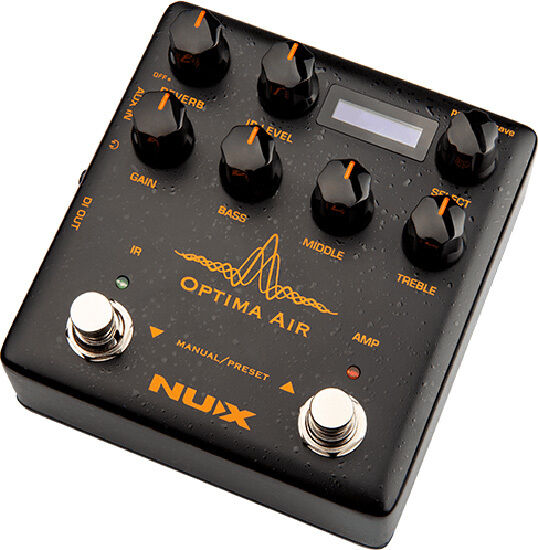
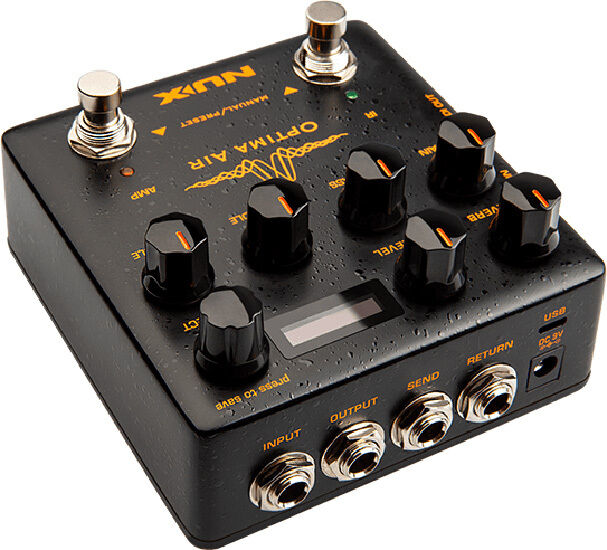
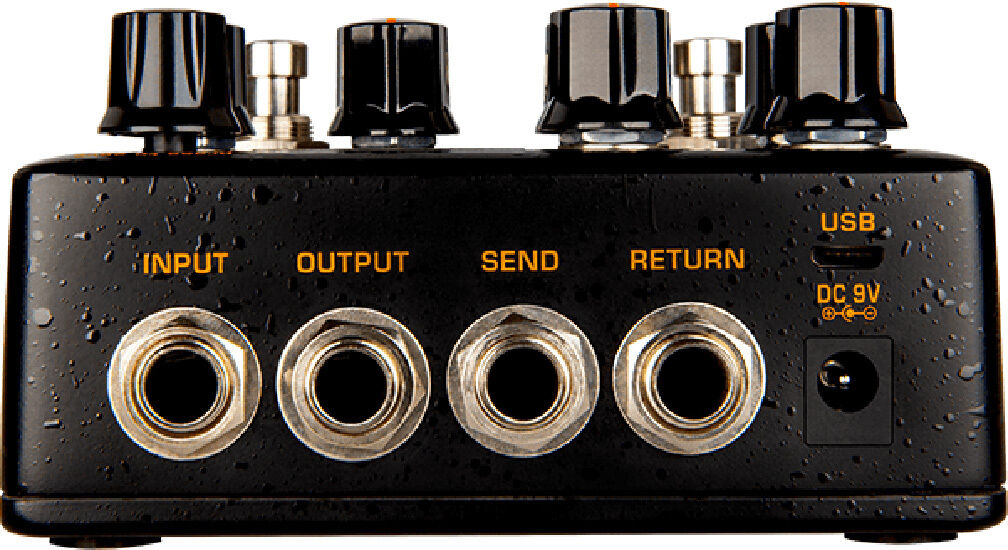
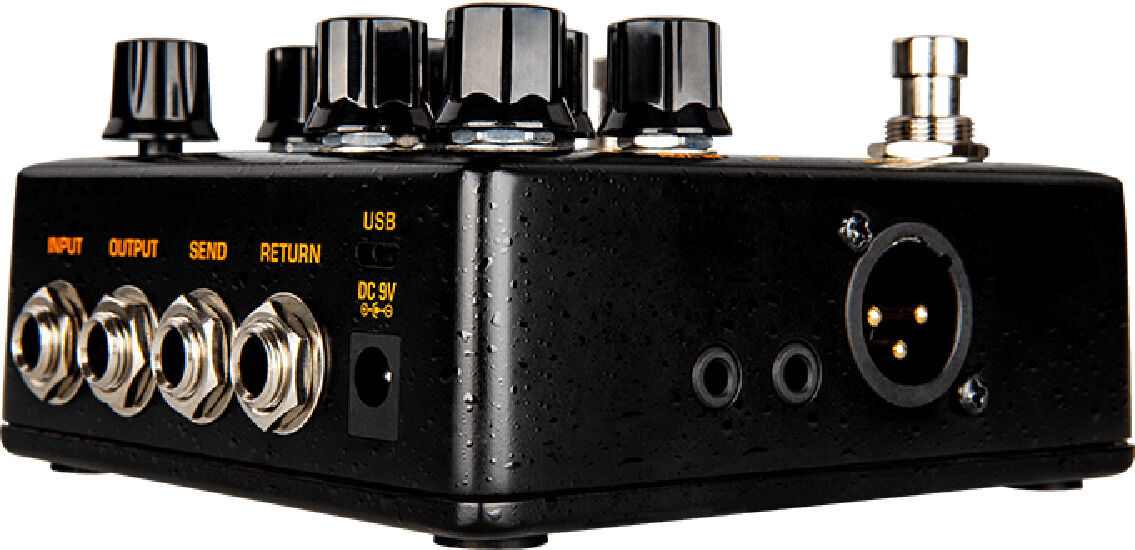
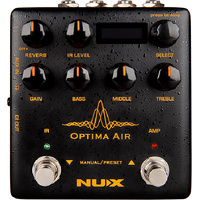
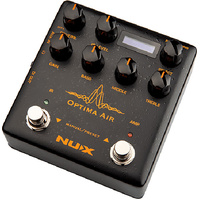
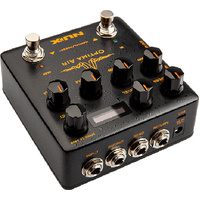
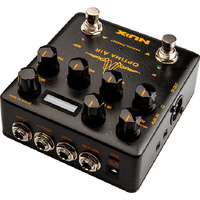
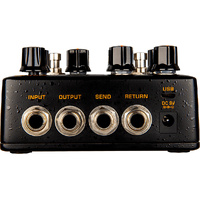
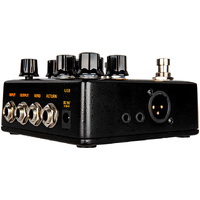
NUX Optima Air is a dual-switch acoustic guitar simulator with a preamp for acoustic and electric guitar players. It simulates the acoustic guitar profiles with the best-optimized sound depending on your guitar and pickup type. IR loader combined with a preamp which is equipped with 3-band EQ and Gain controls. And there is an additional one-knob-control Reverb effect. If you want to connect any effect pedal you can use the SEND/RETURN effect loop and add the Optima Air into the signal chain. NUX Optima Air has a unique profile capture function, you can create your own acoustic guitar profile (IR file) by capturing your favorite acoustic guitar's sound. There is an XLR DI output for direct line/mixer connection, headphones output for silent play and auxiliary input to connect a music player to play along. Specifications: 24-bit, 48-kHz Sampling Quality Acoustic Guitar Impulse Response and Pre-Amp controls 15 built-in acoustic guitar profiles with IR level control 9 Preset Slots Reverb effect Gain, Bass, Middle and Treble controls 6.35mm (1/4-inch) Send/Return, effects loop 3.5mm (1/8-inch) Auxiliary input 3.5mm (1/8-inch) Headphones input XLR DI Out Micro B USB Port for USB Audio Stream and Edit Software Support Reverb: One Knob Reverb effect control. It adjusts the Dry/Wet and Decay parameters. Or you can turn it OFF by tweaking to 0 IR Level: Adjusts the simulated signal (Impulse Response file) LEVEL Select (Push to Save): In manual mode, you can choose the IR file. And you can save your customized preset by pushing the knob Gain: Adjusts the signal input Gain level 3-Band EQ: Bass: Adjusts the low frequency level Middle: Adjusts the middle frequency level Treble: Adjusts the high frequency level IR Footswitch: Manual Mode: Engage/disengage the selected IR file. Acoustic guitar simulation ON/OFF Preset Mode: Bank DOWN Also, if you are editing a preset, you can push the IR footswitch to exit without saving AMP Footswitch: Manual Mode: Activates the pre-amp section. When you engage the AMP, you can use the Gain and the 3-band EQ Preset Mode: Bank UP Also, If you are editing a preset, while you changing the preset name you can push the AMP footswitch and move the cursor to the next selection area to choose a letter, number or symbol Input: 6.35mm (1/4-inch) jack input Output: 6.35mm (1/4-inch) jack output Send/Return: 6.35mm (1/4-inch) effect loop inputs Micro B USB Port: You can connect the pedal to your computer to use the Optima Air software to create, edit and save your presets. And update the pedal when a new firmware released. Power Input: 9V Negative TIP power adapter input 3.5mm (1/8-inch) Auxiliary Input: You can connect music player to play along with music 3.5mm (1/8-inch) Headphones Output: For silent practicing or recording XLR DI Output: For direct connection to mixer (or PA system) Optima Air Impulse Response (IR) Function Optima Air is loaded with 15 impulse response files. Each impulse response file optimized for the guitar type and the pickup type. The IR file names are included the guitar profile, optimized guitar type, and the pickup type. Press the IR footswitch to activate/deactivate the IR function. Impulse Response Files List... *All the brand and model names mentioned on this page are Trademarks of their respective owners, which are in no way associated or affiliated with NUX and Cherub Technology CO. LTD. Optima Air Pre-amp NUX Optima Air is equipped with a pre-amp that allows you to enhance your sound by using a 3-band equalizer. The beauty of an analog circuit is that chaos makes the muse. While you tweak the knob, it affects itself and also other parameters. Driven by NUX's white box algorithm (physical modeling) of Neve 1073, Optima Air can replicate the chaos in a compact size, while providing lots of features like USB audio stream, Reverb function, and IR Capture. Editor Software You can load 3rd party IRs and edit preset names through editor software. Optima Air also supports USB audio stream, which means you could use Optima Air as recording interface. You can adjust USB AUDIO routing through editor software. For WINDOWS operating system, please download NUX ASIO Driver from SUPPORT. The editor software offers you built-in LEVEL adjust knob, so you can tweak the 3rd party IR level. Capturing a Guitar Profile Run the pedal in capturing mode; press the IR footswitch and hold, plug in the power cable. You need to use a condenser microphone for better result. Connect the acoustic guitar to the Optima Air's input, place the microphone and connect to a microphone to a microphone preamp. And connect the microphone preamp's output to the Optima Air's Return (Please check the picture) Make sure everything's connected, and you are all set to capture. You can see the input level and the return level on the pedal screen, make sure the levels are not reaching to the MAX (Peak) level, or too low to capture it. Usually, 60% to 80% is the best level for capturing. You can press the IR footswitch when you are ready. It will countdown from 3 to 1 then you could start to play guitar to send the audio signal to Optima Air to capture and process. Just play as clean as you can, and use finger position or chords you are playing most of the time. Capturing record will take 10 seconds, you can also see it on the screen, the RED AMP LED will start blinking when the recording is done. You can press the AMP footswitch to save, or you can press the IR button to restart the capturing. ** Free Firmware Updates and Manuals are available by clicking here then selecting "Support"
The numbers

Full specifications

Specifications · SKU NXNAI5OPTIMA
BrandNU-X Audio
SKUNXNAI5OPTIMA
Shipping Weight0.5000kg
Shipping Width0.140m
Shipping Height0.070m
Shipping Length0.140m
Ways to pay & get it

Delivery & finance options

Calculate Shipping

Standard Shipping — $0.00
Estimated delivery in 4-9 business days
Express Shipping — $18.50 (ETA: 4 days)
Click & Collect — $0.00
You will receive an email / text message once your order is ready for collection.
4.6 4.6★ from 850+ Google reviews — independent Footscray music store since 1997. Read our Google reviews

Own this one? Write the first review →

Buy with confidence

Delivery, returns & warranty

Shipping & delivery

  • Free standard shipping on orders over $150.
  • Most orders dispatched the next business day.
  • Tracked & insured on every order over $30.
  • Free Click & Collect from our Footscray showroom.

Returns

  • Arrived faulty, damaged, or not doing what it should? Return it within 7 days for a refund or exchange.
  • After that, we’ll arrange a manufacturer warranty repair and keep you posted throughout.
  • All we ask is that it comes back in original condition, with all packaging and your proof of purchase.
  • Your Australian Consumer Law rights always apply.

Warranty & support

  • Genuine, Australian-delivered stock.
  • Authorised NU-X Audio dealer.
  • Set up by the manufacturer before dispatch.
  • Real aftercare from real players on 03 4151 5751.
Popular together

Others also bought

Keep exploring

More from this category

LR Baggs

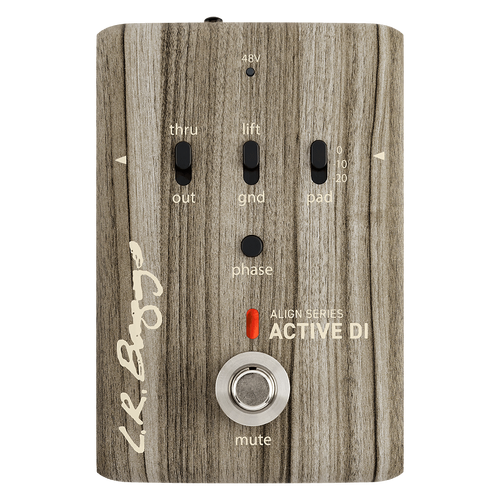
LR Baggs Align Active DI Pedal

$357.95 $449.00 Save $91.05

or 4× $89.49 with Afterpay

In stock · C&C Footscray

Make 4 interest-free payments of $89.49 fortnightly and receive your order now.

LR Baggs

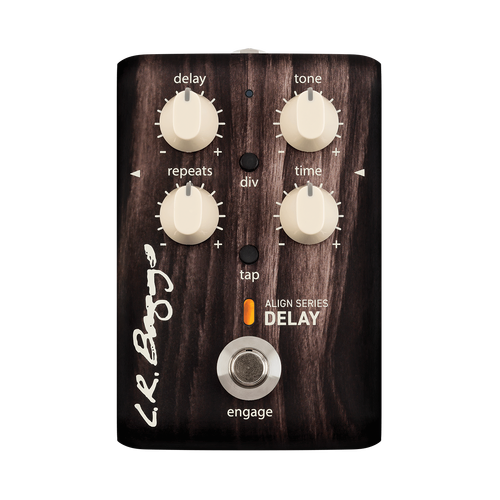
LR Baggs Align Delay Pedal for Acoustic Guitar

THIS PRODUCT IS FOR ONLINE ORDER ONLY.

$387.95 $499.00 Save $111.05

or 4× $96.99 with Afterpay

In stock · C&C Footscray

Make 4 interest-free payments of $96.99 fortnightly and receive your order now.